Windows 10 and 11, x64 and ARM64
SSH client for Windows
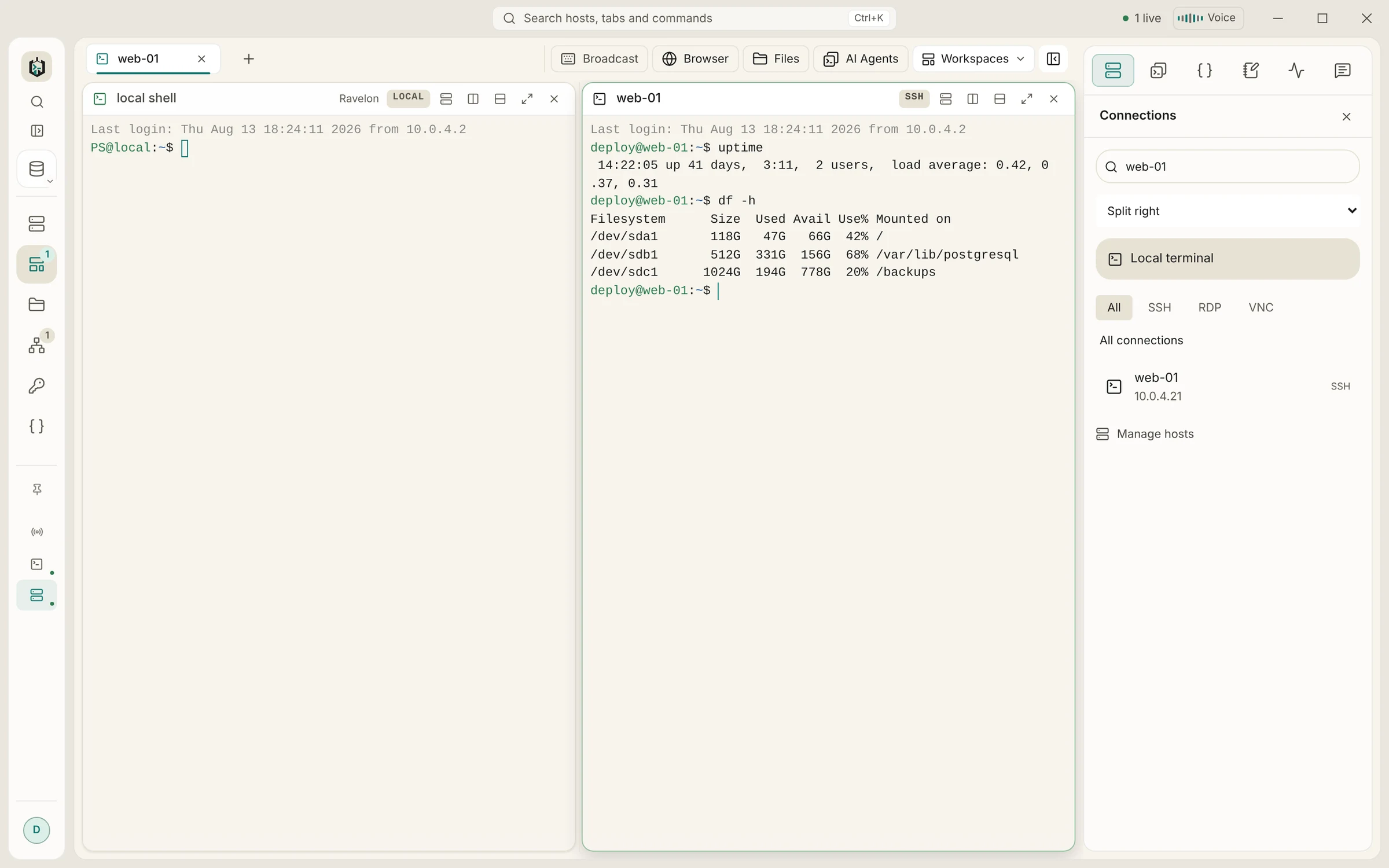
SSH, SFTP, RDP and VNC next to your PowerShell, cmd and WSL tabs, in one window. Bring your PuTTY sessions along, keep using Pageant or the Windows OpenSSH agent, and keep passwords in an encrypted vault instead of the registry.
Requirements and downloads
- Supported versions
- Windows 10 and Windows 11 on x64, Windows 11 on ARM64
- Download
- Setup program (.exe) for x64 and for ARM64
- Updates
- Built in: the app downloads signed updates and installs them with a restart
- Local shells
- PowerShell 7, Windows PowerShell, cmd, WSL, Git Bash and others it finds
- SSH agent
- Windows OpenSSH agent, then Pageant
- Price
- Free without sync; Pro with sync EUR 19.90 once
Installation
Install Ravelon on Windows
Download the setup program
The download page picks x64 or ARM64 for your PC. If you are not sure: Settings > System > About shows the system type.
Run it and confirm SmartScreen once
The installer is not code-signed yet, so Windows SmartScreen shows a warning the first time. Click More info, then Run anyway. The app installs for your user, no administrator needed.
WebView2 comes with Windows
Ravelon draws its window with Microsoft Edge WebView2, which Windows 11 already includes. On a Windows 10 PC without it, the installer fetches it.
Add your servers
On first start Ravelon offers to import your ~/.ssh/config. You can also import a CSV list, a PuTTY or MobaXterm export, or add hosts by hand. Passwords go into the encrypted vault once.
On Windows
What works differently on Windows
Your PuTTY sessions, in one step
Export them with reg export HKCU\Software\SimonTatham\PuTTY\Sessions putty.reg and import the file in Ravelon. MobaXterm .mxtsessions files work the same way, including RDP and VNC bookmarks.
PowerShell, cmd and WSL as tabs
Local terminals run on ConPTY and start in a Ravelon folder in your profile (you can change it). The shell picker lists PowerShell 7, Windows PowerShell, cmd, WSL, Git Bash and other shells on your PATH, and autocomplete knows Windows paths.
Keys from Pageant or the OpenSSH agent
If you already load keys into the Windows OpenSSH agent or Pageant, Ravelon uses them, and agent forwarding can be switched on per host. Keys can also live in the vault.
Shortcuts that feel like Windows
Ctrl+C copies only when text is selected, otherwise it goes to the shell. Ctrl+Shift+C and V, Ctrl+Insert and Shift+Insert work too, as do Ctrl+F4 and Ctrl+PageUp or PageDown for tabs. Snap Layouts work on the window.
RDP to Windows servers, with printing
RDP runs inside the app with TLS and NLA. With printer redirection, the server prints to a printer called Ravelon, and each job arrives as a PDF in Downloads\Ravelon.
For administrators
A machine policy at %ProgramData%\Ravelon\policy.json can turn off updates, sync, AI or telemetry. Logs are in %LOCALAPPDATA%\Ravelon\logs and never contain passwords, keys or terminal output.
Host keys are checked on every system
The first connection shows the server's fingerprint; once you confirm it, Ravelon pins it and stops if it ever changes. Every jump host is checked against its own pin.
FAQ
Frequently asked questions
Does Ravelon replace the ssh command built into Windows?
No, both work side by side. Ravelon has its own SSH implementation and reads your ~/.ssh/config, so hosts you set up for OpenSSH appear in Ravelon too.
Why does SmartScreen warn about the installer?
Because the Windows installer is not code-signed yet. The updates the app installs itself are signed and checked against a key built into the app.
Does it run on Windows on ARM?
Yes. There is a native ARM64 build for Windows 11, and it updates itself like the x64 build.
Can I use the same hosts on my other computers?
Yes. Ravelon Pro syncs hosts, keys and snippets end-to-end encrypted between Windows, macOS and Linux for a one-time EUR 19.90, or free through a sync server you run yourself.
Same app on every system
Hosts, keys and snippets sync end-to-end encrypted between Windows, macOS and Linux, so a laptop on one system and a workstation on another share one server list.
Coming from another client on Windows?
Ravelon vs. PuTTY
Your PuTTY sessions in one window, with a vault and a file browser.
Ravelon vs. MobaXterm
The session-plus-files workflow you know, on macOS and Linux too.
Ravelon vs. SecureCRT
SSH, SFTP, tunnels and remote desktops, paid for once.
Ravelon vs. Royal TS
SSH first, with RDP and VNC alongside, on Linux too.