SSH terminal
SSH, with your keys safe in the vault.
Set up a server once and pick a password, a key or your SSH agent for it. Anything you want to reuse goes into the encrypted vault on your machine.
01
Save credentials once
A username plus a password or key becomes a credential you can reuse. Assign it to a host, and everything on that host uses it: terminal sessions, SFTP transfers and port forwards.
“Set up the login once. Terminal, SFTP and tunnels all use it.”
02
Keys, credentials and local shells
Create an Ed25519 key right in Ravelon, with a passphrase if you want one, or pick a private key that's already in ~/.ssh. Save a password or key once and assign it to as many hosts as you like. Change it in one place and every host gets the update. If a server asks keyboard-interactive questions or wants a one-time code, you answer in the connect dialog.
Local terminals open right next to your SSH sessions. Ravelon finds the shells on your machine, from PowerShell, cmd and WSL to bash, zsh and fish.
- Generate Ed25519 keys, with or without a passphrase
- Use the private keys already in ~/.ssh
- One credential for as many hosts as you like
- Per host: keepalive, connect timeout, environment variables and terminal font
03
A clear warning when a host key changes
The first time you connect, Ravelon shows you the server's fingerprint and remembers it once you say yes. If it ever changes, Ravelon stops before the session opens and asks you to check.
When you trust a key, Ravelon saves exactly that key for good, so every later connection is checked against it. In a chain of jump hosts, each one is checked against its own pin, and you can bring over the pins you already have in ~/.ssh/known_hosts, hashed entries too.
“A changed fingerprint gets a real warning, not a small prompt you click away.”
04
SSH the way your network needs it
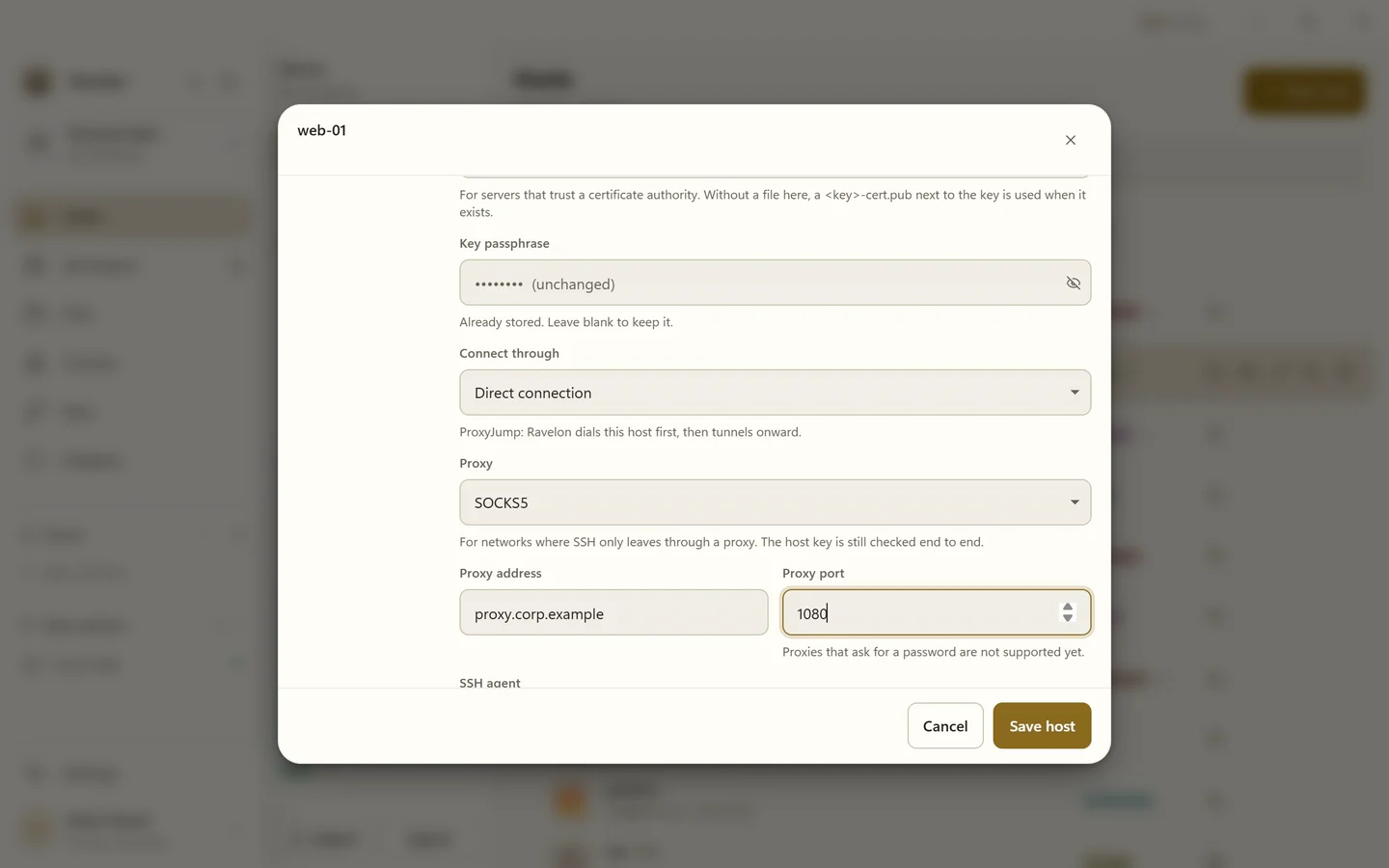
Real networks are messy. There's the bastion with its own second factor, the proxy in front of everything, and that one switch that only speaks algorithms from ten years ago. You set these things per host, so each server gets exactly the exception it needs and nothing more.
- OpenSSH user certificates
- Connect through a SOCKS5 or HTTP proxy, or a proxy command
- Jump hosts that ask for their own password or second factor
- Older algorithms for old switches and appliances, switched on per host
- Agent forwarding per host, including the Windows OpenSSH agent and Pageant
- Record terminal output to a file, for one pane or for every SSH session
05
The rest of your toolkit, right at the host
Tunnels, saved commands and your terminal layout sit right next to the server they belong to.
- Local and remote port forwarding, managed at the host
- Snippets with descriptions and tags, all searchable
- Drop a snippet into the active terminal from the command palette
- Autocomplete as grey text that keeps secrets out of the history
- Search the scrollback, and let tmux or vim copy to your clipboard
- Tabs and split panes for every live session
FAQ
Frequently asked questions
Where are my SSH keys stored?
In Ravelon's local vault, a single file encrypted with AES-256-GCM. By default the key to open it sits in a file next to it. If you'd rather have a lock, use your account password or a master passphrase instead. With sync switched on, only encrypted data leaves your device.
Can Ravelon use OpenSSH certificates and jump hosts with 2FA?
Yes. You can log in to a host with an OpenSSH user certificate, and a jump host can ask for its own password or one-time code before Ravelon carries on to the target.
Can I record an SSH session?
Yes. Record a single pane to a file, or turn on automatic recording for every SSH session.
Does Ravelon support port forwarding?
Yes. You set up local and remote tunnels per host, and they live right next to the connection they belong to.
How does Ravelon handle changed host keys?
Ravelon checks the key of every known host on each connection. If the fingerprint has changed, you get a clear warning that you have to confirm before the session goes on.
Get started
Try it in your own workspace.
On one device the desktop app is free, with nothing held back: the encrypted vault, terminal, SFTP and the assistant are all included.
What else Ravelon can do
SFTP file transfer
Move files over the same connection your terminal already uses.
Security
An encrypted vault, pinned host keys and the lock level you choose.
Autocomplete & AI help
Grey-text suggestions from your history, # commands and Ask AI on any output.
Import & export
Bring hosts from ssh_config, PuTTY, MobaXterm or CSV, and take them with you.