Import & export
Your hosts move in. Your passwords stay out.
Switching clients shouldn't mean retyping two hundred hosts. Ravelon reads the formats you already have and writes formats other tools understand. Passwords never travel in either direction.
01
Import from the tool you use now
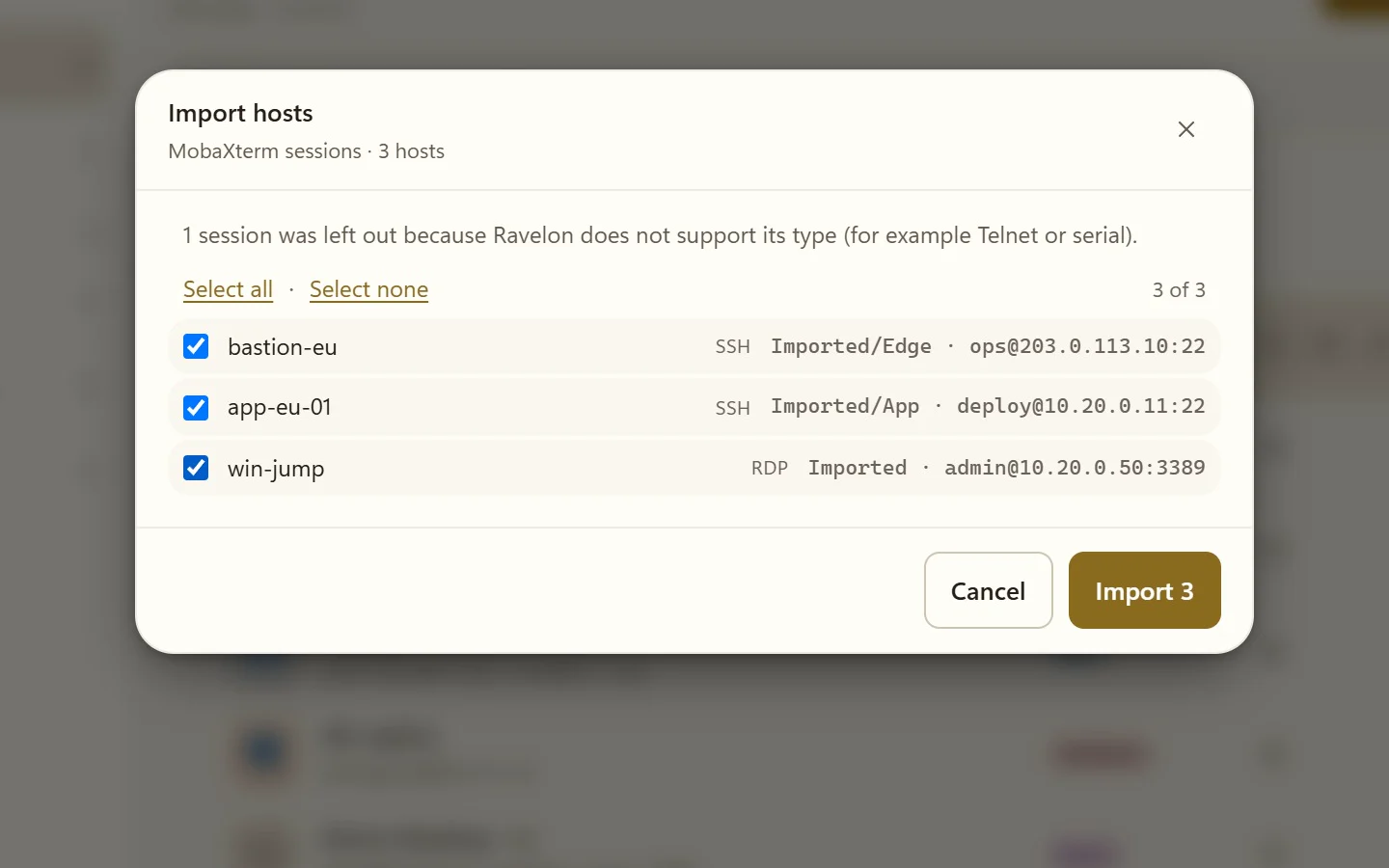
The import dialog reads OpenSSH config, spreadsheets and the session lists of common Windows clients. Moving over takes one pass, not an afternoon.
- ~/.ssh/config, including Include, Host * defaults and ProxyJump
- CSV files from a spreadsheet or inventory
- PuTTY sessions exported as a .reg file
- MobaXterm sessions
- A JSON export from another Ravelon installation
02
Known host keys come along
Bring over the host key pins from ~/.ssh/known_hosts, hashed entries included, and servers you already trust won't ask again on the first connection.
“The trust you've already built up in OpenSSH comes with you.”
03
Export in open formats
Export hosts for a backup, a spreadsheet or another tool. Whatever you export stays readable without Ravelon.
- JSON for a complete Ravelon host export
- CSV for spreadsheets and inventories
- OpenSSH config for ssh and other clients
- Passwords are never imported or exported
04
A clear import report
After the import, Ravelon shows you a report of every entry, including the ones that need a manual step, such as ProxyCommand lines or Match blocks in ssh_config. The host editor takes a proxy command directly, so those hosts are set up in a moment.
“Every entry is accounted for in the report.”
FAQ
Frequently asked questions
Are passwords imported from PuTTY or MobaXterm?
No. Passwords are never imported or exported. Add them to the encrypted vault afterwards, or use keys and your SSH agent.
Which PuTTY format does Ravelon read?
The sessions PuTTY keeps in the Windows registry, exported as a .reg file.
Can I export my hosts for plain ssh?
Yes. Export them as an OpenSSH config file and include it from your ~/.ssh/config.
Can the iPhone app import ssh_config too?
Yes. On iOS you paste an ssh_config, and a preview shows every block it found before anything goes into the vault.
Get started
Try it in your own workspace.
On one device the desktop app is free, with nothing held back: the encrypted vault, terminal, SFTP and the assistant are all included.
What else Ravelon can do
SSH terminal
SSH with your passwords and keys kept in an encrypted vault.
Many hosts at once
Type into every pane at once, run one command on several hosts, keep big lists tidy.
For companies
Machine policy, company proxies, diagnostic logs and packages for rollout.
Vault & sync
Encrypted on your device before it syncs, and every new device needs your OK.