Serial & Telnet
Serial console and Telnet
Save serial and Telnet connections for switches, routers and development boards. Open them beside your SSH sessions in the same workspace.
Sign up free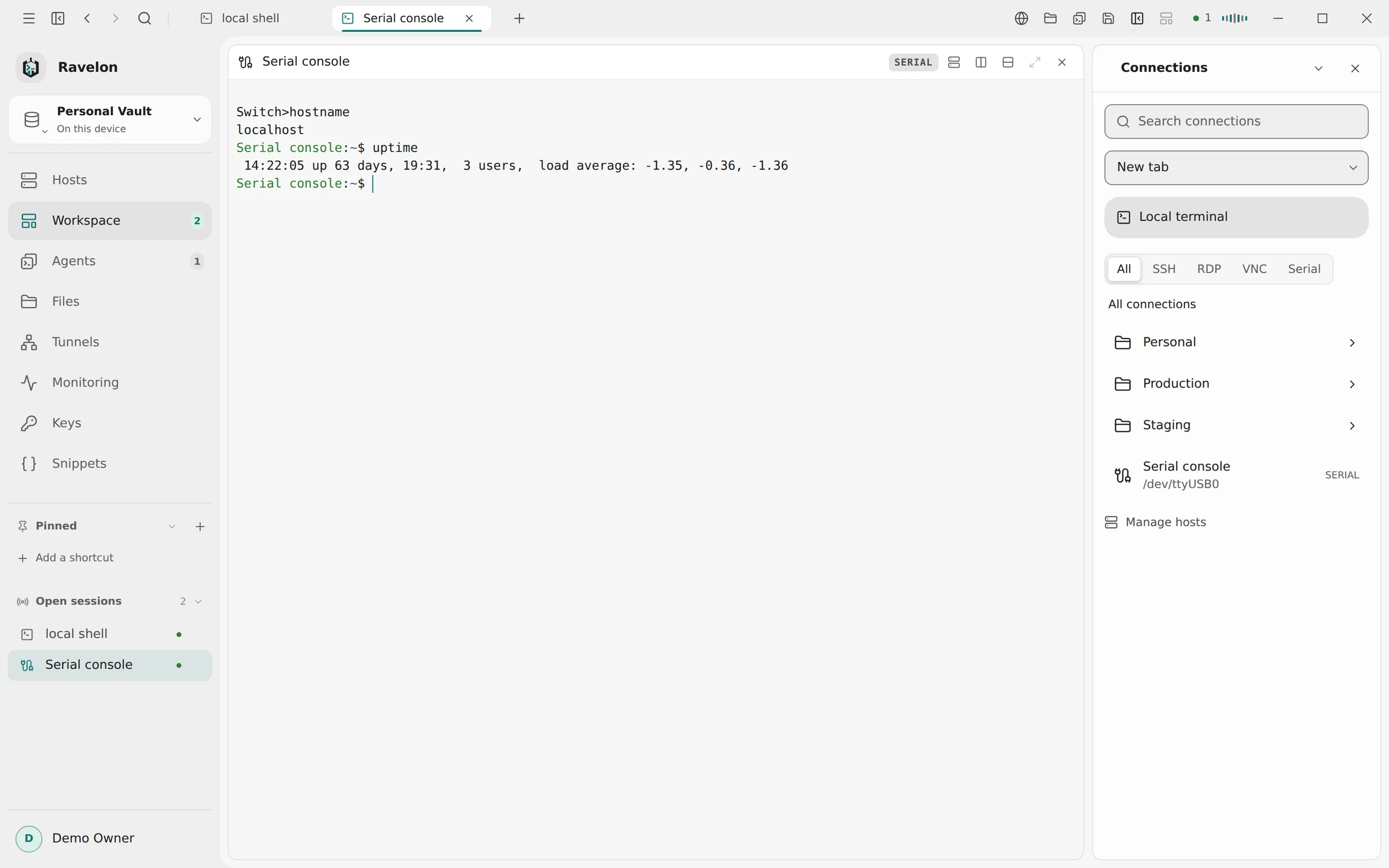
01
Serial port settings
A serial host remembers its port and line settings, so you don't look up the baud rate every time. Ravelon lists the ports it finds. A port that isn't plugged in yet can be typed in.
- Baud rate, data bits, parity, stop bits and flow control per host
- COM3 on Windows, /dev/ttyUSB0 on Linux, /dev/cu.usbserial on macOS
- Send break from the pane menu, for example to get into ROMMON
- Reconnect after plugging the cable back in with Enter
02
Telnet and SSH tunneling
A Telnet host has an address and a port, 23 by default. You log in inside the terminal, the way the device expects. Ravelon passes on the window size and terminal type, so full-screen menus fit the pane.
Telnet isn't encrypted. If the device sits behind a server you reach with SSH, pick that server under Connect through. The connection then runs inside SSH up to that server.
“Telnet is plain text. Through a jump host, only the last hop is.”
03
Hosts and workspaces
Serial and Telnet hosts live in your vault with your other hosts, in groups, with search and the command palette. They open in tabs and split panes, and a saved workspace brings them back.
- Session recording works like in any other terminal
- Telnet hosts come along from PuTTY, MobaXterm and CSV
- Synced with your other hosts, end-to-end encrypted
FAQ
Frequently asked questions
Which platforms support the serial console?
The desktop app on Windows, macOS and Linux. On Linux your user needs to be in the dialout group. The iOS app has neither serial nor Telnet.
Do I need a special USB adapter?
No. Any USB serial adapter or console cable your system shows as a serial port works.
Does Ravelon save the Telnet password?
No. Telnet has no login of its own that Ravelon could fill in. You type user name and password in the terminal, the way the device asks for them.
Can I split a serial pane?
A port can only be open once, so splitting a serial pane opens a local shell next to it. Splitting a Telnet pane opens a second connection to the same device.
Get started
Try it in your own workspace.
The encrypted vault, terminal, SFTP and assistant are included in the free desktop app. Ravelon Pro adds Cloud sync as a one-time purchase.
Related features
SSH terminal
SSH with your passwords and keys kept in an encrypted vault.
Workspaces
Shells, remote desktops and agents side by side in tabs and splits.
Import & export
Bring hosts from ssh_config, PuTTY, MobaXterm or CSV, and take them with you.
Tunnels & port forwarding
Local, reverse and SOCKS5 forwards, saved with the host they belong to.