Conductor alternative
Conductor alternative for coding agents
Ravelon runs Claude Code, Codex, Gemini CLI and other coding agents as threads, each in a folder or its own Git worktree, with the diff, a terminal and files beside the conversation. It works on Windows, macOS and Linux, in the same app as your SSH hosts.
Conductor is a coding-agent workspace with a Mac app and cloud sandboxes accessible from other devices. We at Ravelon wrote this page and keep it up to date. Conductor is a trademark of its owner.
Ravelon compared with Conductor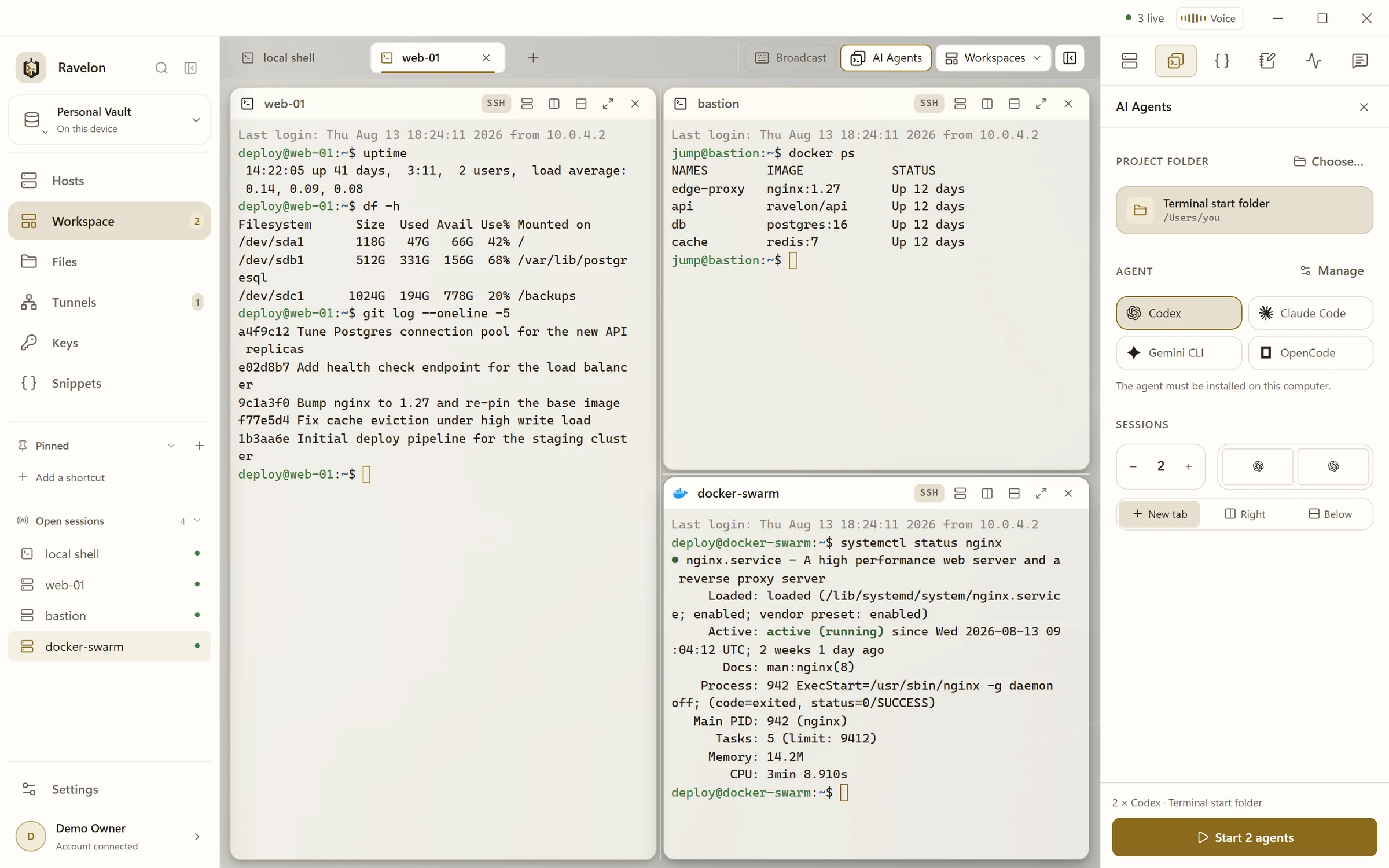
At a glance
- Protocols
- SSH, SFTP, RDP, VNC, Telnet and serial console
- Systems
- Windows, macOS and Linux
- Licence
- One-time purchase, no subscription
- Price
- Free without sync, Pro with sync €49.90 once
- Sync
- End-to-end encrypted. We host it, or you do.
Ravelon and Conductor, side by side
| Compared | Ravelon | Conductor |
|---|---|---|
| Pricing | Free without sync. Pro is EUR 49.90 once and adds sync. The self-hosted sync server is free and open source. | App plans on Conductor's website; agent usage is billed by the agent's provider. |
| Platforms | Windows, macOS and Linux, on x86_64 and ARM64, with .deb and .rpm packages for Linux. | Mac desktop app, plus cloud workspaces and mobile access. |
| Agents | Claude Code, Codex, Gemini CLI, OpenCode, Qwen Code, GitHub Copilot, Cursor, goose and more, as the CLIs you installed. | Claude Code, Codex, Cursor and OpenCode. |
| Isolation | A local folder or a Git worktree per thread, with merge or rebase on the base branch. | An isolated local workspace and branch per task, or a cloud microVM. |
| Review | Diff per turn or per thread; commit, push and pull request from the side panel. | Diff per task; pull request, merge and archive from the app. |
| Beyond coding | SSH, SFTP, tunnels, RDP and VNC in the same app. | Built for coding agents. |
Conductor column last checked: 2026-11
Sources for Conductor: Conductor website, Conductor documentation
Product fit
Ravelon or Conductor?
Stay with Conductor if
- You want hosted cloud workspaces and real-time collaboration for coding agents.
- Your team already runs its agent workflow in Conductor and wants to keep it.
Ravelon limitations
- Threads run on the computer where they started. Other devices can continue them while that computer is shared, but they do not sync.
- Each agent needs its CLI installed; Ravelon brings no models of its own.
- The agent's own browser and device control are available on macOS and Linux only.
- The desktop app is proprietary. Only the sync server is open source (MIT).
Ravelon features
Four reasons to move from Conductor to Ravelon
01
Windows, macOS and Linux
The Agents page works on all three systems. A team on mixed machines uses the same threads, worktrees and shortcuts.
02
Many agents, one page
Claude Code, Codex, Gemini CLI, OpenCode, GitHub Copilot, Cursor and more, each the CLI you installed. Claude Code and Codex sign in with your own plan.
03
Worktrees and review
New worktree puts a thread on its own branch, so several agents can work on one repository. Each turn ends with its diff, and you commit, push and open a pull request from the side panel.
04
Your servers included
With hosts turned on for agents, an agent can run commands and read files on an SSH host you allowed. Ravelon shows each call with the host and the exact command first.
Threads instead of terminals
Each thread shows your prompts, the agent's answers and its work folded into one line once a turn is done. The permission mode determines which actions need your approval.
- Permission modes per thread, with the options supported by each agent
- A plan first, started with Implement plan
- Scheduled prompts, hourly, daily or on a cron expression
- On macOS and Linux, a browser of its own and the iOS Simulators for the agent
Kept on your device
Ravelon keeps threads and artifacts on this device, encrypted with the vault, and connector keys stay in the vault.
Every turn ends with what it changed.
Switching
Conductor migration
Ravelon uses the agent CLIs you already have. Open the Agents page with Mod+Shift+A, choose a project folder and start a thread; Claude Code and Codex sign in with your existing plan.
Turn on New worktree for parallel work on one repository. A .worktreeinclude file brings gitignored files such as .env along, and cleaning up a worktree keeps its uncommitted work.
Install Ravelon
Download the build for your system from the download page. The local desktop app is free. Pro adds cloud sync and Ravelon ID.
Check your agent CLIs
Ravelon uses the Claude Code, Codex or other CLIs installed on your computer. Claude Code and Codex sign in with your plan.
Start a thread
Open Agents with Mod+Shift+A, pick a project folder and choose a local folder or New worktree.
Review and ship
Read the diff of each turn in the side panel, then commit, push and open a pull request.
FAQ
Frequently asked questions
Which coding agents does Ravelon support?
Claude Code, Codex, Gemini CLI, Grok, Kimi CLI, OpenCode, Qwen Code, GitHub Copilot, Cursor, Antigravity, goose, Factory Droid, Auggie, Cline, Kilo and Mistral Vibe, each the CLI you installed.
Do I need another AI subscription?
No. Claude Code and Codex sign in with your existing plan by default. Agent usage is billed by its provider, not by Ravelon.
Does it work on Windows?
Yes. The Agents page runs on Windows, macOS and Linux. The agent's own browser and device control are available on macOS and Linux.
Try it first
Try it on your own servers.
Try the free desktop app with its encrypted vault, SFTP, RDP, VNC and assistant. Import your SSH config and use Ravelon alongside your current client.
Other comparisons
Termius alternative
Free local tools with optional one-time Pro cloud sync.
Warp alternative
Your servers, files and tunnels in one workspace, with AI that waits for your OK.
PuTTY alternative
Your PuTTY sessions in one window, with a vault and a file browser.
MobaXterm alternative
The session-plus-files workflow you know, on macOS and Linux too.
Tabby alternative
Vault, files, tunnels and sync in one app, ready from first launch.
SecureCRT alternative
Free local connections with optional one-time Pro cloud sync.
Termix alternative
A native desktop app with a local vault, ready to go without any server setup.
Royal TS alternative
SSH first, with RDP and VNC alongside, on Linux too.
Remmina alternative
RDP and VNC right next to your SSH work, on Windows and macOS too.
Remote Desktop Manager alternative
RDP, VNC and SSH in one window, free locally and Pro paid once.
mRemoteNG alternative
Your tabbed connections on macOS and Linux too, with an encrypted vault.
RealVNC alternative
VNC next to SSH and RDP, over verified TLS or an SSH tunnel.