Remmina alternative
Remmina alternative for Windows, macOS and Linux
Use RDP and VNC alongside SSH terminals, SFTP and tunnels in one window. Your saved hosts stay in an encrypted vault. Ravelon runs on Linux, Windows and macOS.
Remmina is a free, open-source remote desktop client for Linux with RDP, VNC, SPICE, SSH and X2Go. Written and maintained by the Ravelon team. Remmina is a trademark of its owner.
Ravelon compared with Remmina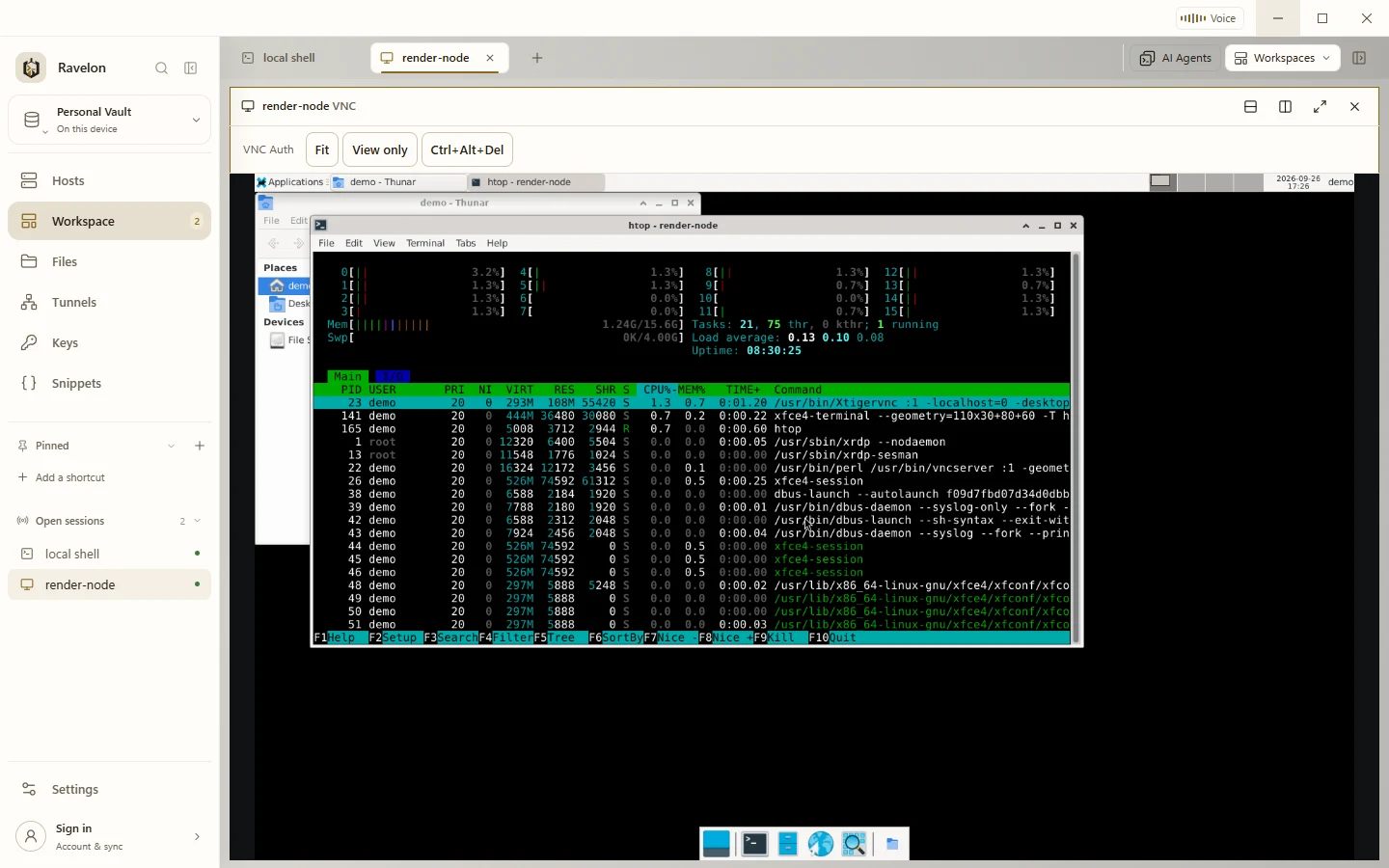
At a glance
- Protocols
- SSH, SFTP, RDP, VNC, Telnet and serial console
- Systems
- Windows, macOS and Linux
- Licence
- One-time purchase, no subscription
- Price
- Free without sync, Pro with sync €49.90 once
- Sync
- End-to-end encrypted vault sync through Ravelon Cloud or your own server.
Ravelon and Remmina, side by side
| Compared | Ravelon | Remmina |
|---|---|---|
| Pricing model | Free desktop app. Pro is EUR 49.90 once and includes Cloud sync. Self-hosted sync is free and open source. | Open source and free under GPL-2.0-or-later. |
| Platforms | Windows, macOS and Linux, on x86_64 and ARM64, with .deb and .rpm packages for Linux. | Linux, packaged for many distros, Flathub and Snap. |
| Protocols | SSH, SFTP, tunnels, RDP, VNC, Telnet, serial, local shells and coding agents. | RDP, VNC, SPICE, SSH, X2Go and HTTP(S). |
| SFTP browser | Built in, on the same connection as the terminal. | SFTP as its own connection type. |
| Saved connections | Encrypted local vault with an optional password lock. Sync servers cannot read vault data. | Local profile files. |
| Sync between machines | End-to-end encrypted vault sync through Ravelon Cloud or your own server. | Not part of the product. |
Remmina column last checked: 2026-10
Sources for Remmina: Remmina home page, Remmina on GitLab
Product fit
Ravelon or Remmina?
Stay with Remmina if
- You want a free, open-source client under a copyleft licence, available through your Linux distribution.
- You connect to SPICE or X2Go sessions.
- You run thin clients and need a kiosk mode.
Ravelon limitations
- No SPICE and no X2Go.
- Linux packages come from our download page, not from distribution repositories, and the .deb and .rpm packages update through new packages rather than in the app.
- The desktop app is proprietary. Only the sync server is open source (MIT).
Ravelon features
Four reasons to move from Remmina to Ravelon
01
One host list for every desktop
Ravelon is the same app on Windows, macOS and Linux, so one saved host list works for the whole team, whatever each person runs.
02
SSH workspace
Browse files without logging in again, reuse saved tunnels and commands, and send the same input to several terminals. Jump hosts are supported for servers you cannot reach directly.
03
VNC certificate verification
In verified TLS mode, Ravelon checks the VeNCrypt certificate, hostname and expiry date. After an error it never quietly retries with a weaker method, and it can route an unencrypted mode through a saved SSH host.
04
Connections across devices
Add a host once and sync it to your paired devices. Choose Ravelon Cloud or your own server; both use end-to-end encryption for vault data.
Remote desktops next to your shells
RDP and VNC hosts open in the same tabs and split panes as SSH sessions and local shells. Save a mixed layout as a workspace and open it again later. Reopening it starts fresh sessions.
- RDP with TLS and NLA
- Scaling, remote resize, view-only and Ctrl+Alt+Delete
- Printer redirection: print jobs arrive as PDFs
- VNC fitted to the pane or at 1:1, and fullscreen
VNC security
For each host you choose verified TLS with your own CA certificate, explicit anonymous TLS, Apple Remote Desktop or classic VNC. Automatic mode never falls back to a weaker method after a certificate error.
Unencrypted modes are clearly labelled, and an SSH host can carry them.
Switching
Remmina migration
Ravelon installs as an AppImage or as a .deb or .rpm package, on x86_64 and ARM64. Import your SSH hosts from ~/.ssh/config or a CSV list, add your RDP and VNC hosts, and everything sits in one encrypted vault.
Save your arrangement of terminals and remote desktops as a workspace. Reopen it later with fresh connections; running processes and terminal history are not restored.
Install Ravelon
Download and install Ravelon for your operating system. The desktop app is free. Pro adds Cloud sync and Ravelon ID.
Import your ~/.ssh/config
Hosts > Import reads your OpenSSH config with its Include files and Host * defaults. ProxyJump links become jump hosts; ProxyCommand and Match blocks are listed and skipped.
Bring the rest over as CSV
For other saved connections, prepare a CSV file with the columns name, host, port, user and group. Separate columns with commas or semicolons.
Add passwords and keys to the vault
Standard file imports leave out passwords. Add them to the vault once. To sync them to your other devices, turn on Sync keys & identities.
Verify the server key
Check the host-key fingerprint with your server administrator or a trusted record before accepting it. Ravelon saves the key and warns you if it changes.
FAQ
Frequently asked questions
Is Ravelon a good fit for RDP administration?
Yes. Open RDP desktops beside your SSH sessions, with TLS and NLA, a shared clipboard and adjustable display size. View-only mode and Ctrl+Alt+Delete are supported. Printing to local PDFs requires Microsoft Print to PDF on the server.
Which protocols does Ravelon cover?
SSH with SFTP and saved tunnels, RDP, VNC, Telnet and serial consoles, plus local shells and coding agents, all in one tab strip.
Which Linux packages are there?
Ravelon runs on Linux on x86_64 and ARM64, as an AppImage or as a .deb or .rpm package.
Try it first
Try it on your own servers.
Connect to your own servers with the free desktop app. Import your host list and try Ravelon alongside your current client.
Other comparisons
Termius alternative
Free local tools with optional one-time Pro cloud sync.
Warp alternative
Keep servers, files and tunnels together, with a server assistant that asks before running commands.
PuTTY alternative
Your PuTTY sessions in one window, with a vault and a file browser.
MobaXterm alternative
The session-plus-files workflow you know, on macOS and Linux too.
Tabby alternative
Saved connections, files and tunnels together, with optional sync.
SecureCRT alternative
Free local connections with optional one-time Pro cloud sync.
Termix alternative
A native desktop app with a local vault, ready to go without any server setup.
Royal TS alternative
SSH first, with RDP and VNC alongside, on Linux too.
Remote Desktop Manager alternative
RDP, VNC and SSH in one window, free locally and Pro paid once.
mRemoteNG alternative
Your tabbed connections on macOS and Linux too, with an encrypted vault.
RealVNC alternative
VNC next to SSH and RDP, over verified TLS or an SSH tunnel.
Conductor alternative
Parallel coding agents in worktrees, on Windows, macOS and Linux.