Termius alternative
Termius alternative with one-time cloud sync
Manage servers, transfer files and open remote desktops in one app. Use Ravelon for free and add Cloud sync with Pro Lifetime, without a subscription.
Termius is a cross-platform SSH client with optional cloud sync. Written and maintained by the Ravelon team. Termius is a trademark of its owner.
Ravelon compared with Termius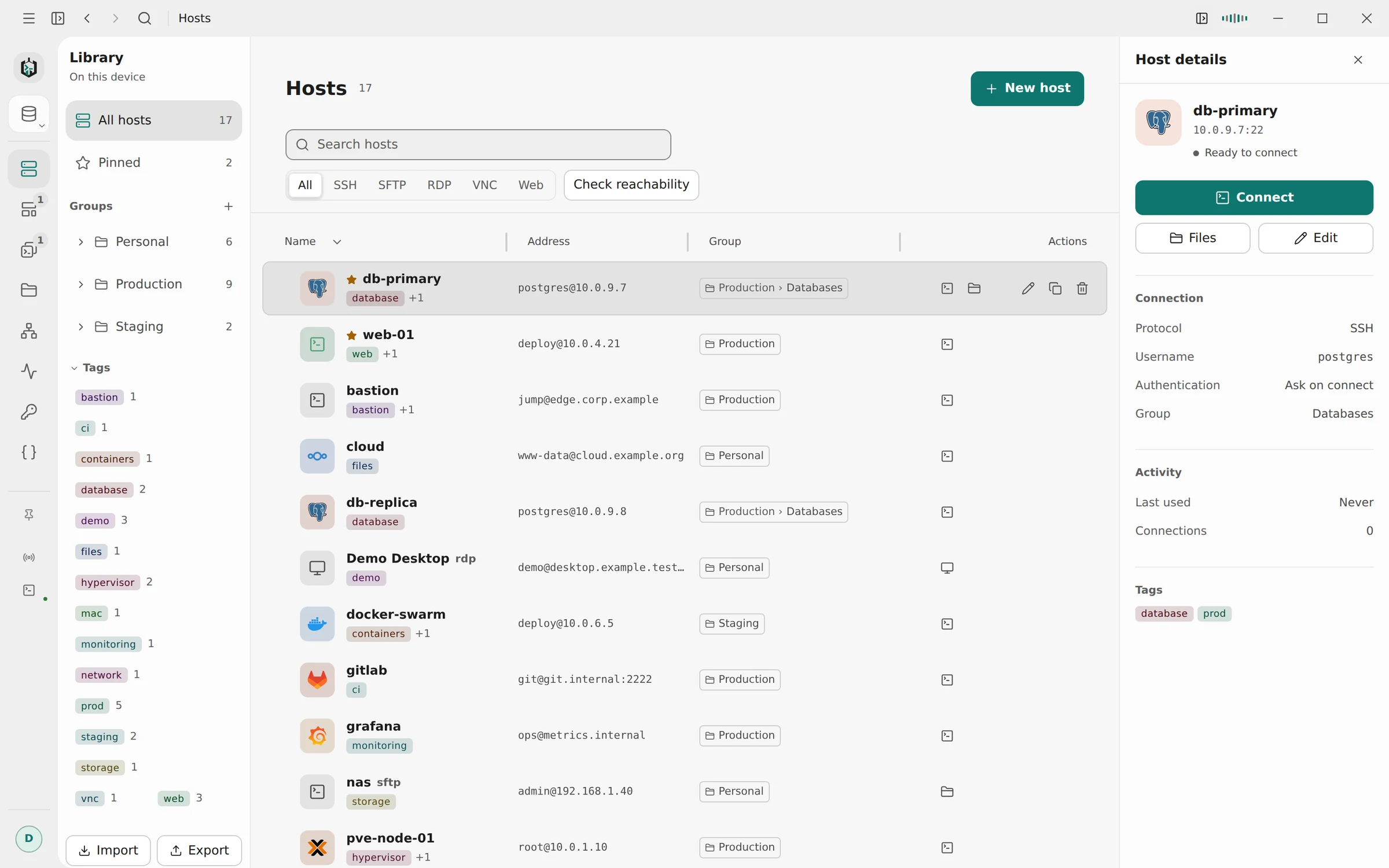
At a glance
- Protocols
- SSH, SFTP, RDP, VNC, Telnet and serial console
- Systems
- Windows, macOS and Linux
- Licence
- One-time purchase, no subscription
- Price
- Free without sync, Pro with sync €49.90 once
- Sync
- End-to-end encrypted vault sync through Ravelon Cloud or your own server.
Ravelon and Termius, side by side
| Compared | Ravelon | Termius |
|---|---|---|
| Pricing model | Free desktop app. Pro is EUR 49.90 once and includes Cloud sync. Self-hosted sync is free and open source. | Free tier, then paid plans per user per month. |
| Where sync runs | Ravelon Cloud, or your own server with our open-source sync server. | Their hosted cloud. |
| Vault | Encrypted local vault with an optional password lock. Sync servers cannot read vault data. | Local vault on the free plan, encrypted cloud vault with sync on paid plans. |
| Platforms | Windows, macOS and Linux, on x86_64 and ARM64, with .deb and .rpm packages for Linux. | Windows, macOS, Linux, iOS and Android. |
| SFTP and tunnels | Browse files and open tunnels without logging in again. | Both included. |
| AI help | Your provider or a local model. Reads first, changes only after you confirm. | AI autocomplete, included from the free plan. |
| Coding agents | Use your installed coding agents in a project folder alongside your server sessions. | Not part of the product. |
Termius column last checked: 2026-10
Sources for Termius: Termius pricing and plans, Termius downloads and platforms
Product fit
Ravelon or Termius?
Stay with Termius if
- You need an Android app, or Android and iOS with the same feature set.
- Your company buys per seat and needs SAML single sign-on, a SOC 2 report and shared session logs.
- Several people want to type in the same terminal at the same time.
Ravelon limitations
- There is no Android app. Ravelon runs on Windows, macOS and Linux; the iPhone and iPad app supports SSH, SFTP, local tunnels and snippets.
- Direct Termius import reads the installation on this computer. Host chains, V5 sync content and the localStorage key fallback are not imported.
- No shared terminal sessions for several people.
Ravelon features
Four reasons to move from Termius to Ravelon
01
One-time purchase
Ravelon Pro costs EUR 49.90 once. There is no monthly plan or renewal date.
02
Free desktop app
The local desktop app is free. Pro adds cloud sync and Ravelon ID.
03
Self-hosted sync
Run Ravelon Sync on your own server when company rules require it. The server is free and open source under the MIT licence, with no Pro purchase needed.
04
AI on your own account
Get help with server tasks using your own AI account. Approve each step before it runs. Provider charges apply separately.
Host import
Import supported entries from ~/.ssh/config, including key-file references and known jump hosts. ProxyCommand, Match blocks and unresolved jump hosts are reported for manual setup.
- SSH config import, including key-file references
- Groups, colours and icons for your hosts
- Jump hosts with saved, checked host keys
- Notes per host, encrypted in the vault
One connection, three jobs
Open a terminal, browse files and create tunnels with one login per host. They share the same SSH connection, including on servers that limit sessions.
Open the file browser from the session you're already in. No second login.
Pricing
The desktop app and local tools are free. Pro adds encrypted sync through Ravelon Cloud with a one-time purchase. You can also sync for free through your own Ravelon Sync server, released under the MIT licence.
- Pro is paid once, with nothing to renew
- Every local feature stays in the free version
- The sync server for self-hosting is free and open source
Switching
Termius migration
Install Ravelon and choose Hosts > Import > From Termius. You can include passwords and private keys if you explicitly enable them. SSH config and CSV imports are also available. Turn on Sync keys & identities if you want credentials on your paired devices.
Share team hosts in a team vault with separate access roles, while keeping your personal vault private. Sync servers cannot read either vault.
Install Ravelon
Download and install Ravelon for your operating system. The desktop app is free. Pro adds Cloud sync and Ravelon ID.
Import your ~/.ssh/config
Hosts > Import reads your OpenSSH config with its Include files and Host * defaults. ProxyJump links become jump hosts; ProxyCommand and Match blocks are listed and skipped.
Bring the rest over as CSV
For other saved connections, prepare a CSV file with the columns name, host, port, user and group. Separate columns with commas or semicolons.
Add passwords and keys to the vault
Standard file imports leave out passwords. Add them to the vault once. To sync them to your other devices, turn on Sync keys & identities.
Verify the server key
Check the host-key fingerprint with your server administrator or a trusted record before accepting it. Ravelon saves the key and warns you if it changes.
FAQ
Frequently asked questions
Is Ravelon a drop-in replacement for Termius?
Ravelon covers common desktop tasks such as SSH, file transfers, tunnels and saved commands. It also includes RDP, VNC and coding agents. Check the limitations below before switching.
Can I import my Termius hosts?
Yes. Choose Hosts > Import > From Termius to read the Termius installation on this computer. Passwords and private keys are included only if you enable them. You can also import ~/.ssh/config.
Does my vault ever leave my machine unencrypted?
No. Ravelon encrypts your vault before syncing. Neither Ravelon Cloud nor your own sync server receives the key needed to read it.
What happens if I stop paying?
Nothing. Pro is a one-time purchase, so there is no subscription to cancel, and running your own sync server is free.
Try it first
Try it on your own servers.
Connect to your own servers with the free desktop app. Import your host list and try Ravelon alongside your current client.
Other comparisons
Warp alternative
Keep servers, files and tunnels together, with a server assistant that asks before running commands.
PuTTY alternative
Your PuTTY sessions in one window, with a vault and a file browser.
MobaXterm alternative
The session-plus-files workflow you know, on macOS and Linux too.
Tabby alternative
Saved connections, files and tunnels together, with optional sync.
SecureCRT alternative
Free local connections with optional one-time Pro cloud sync.
Termix alternative
A native desktop app with a local vault, ready to go without any server setup.
Royal TS alternative
SSH first, with RDP and VNC alongside, on Linux too.
Remmina alternative
RDP and VNC right next to your SSH work, on Windows and macOS too.
Remote Desktop Manager alternative
RDP, VNC and SSH in one window, free locally and Pro paid once.
mRemoteNG alternative
Your tabbed connections on macOS and Linux too, with an encrypted vault.
RealVNC alternative
VNC next to SSH and RDP, over verified TLS or an SSH tunnel.
Conductor alternative
Parallel coding agents in worktrees, on Windows, macOS and Linux.