Many servers
Ten servers, one keystroke.
When the same check has to run on every web node, you shouldn't have to type it ten times. That's what broadcast input, multi-host runs and the host list tools are for.
01
Broadcast to every pane
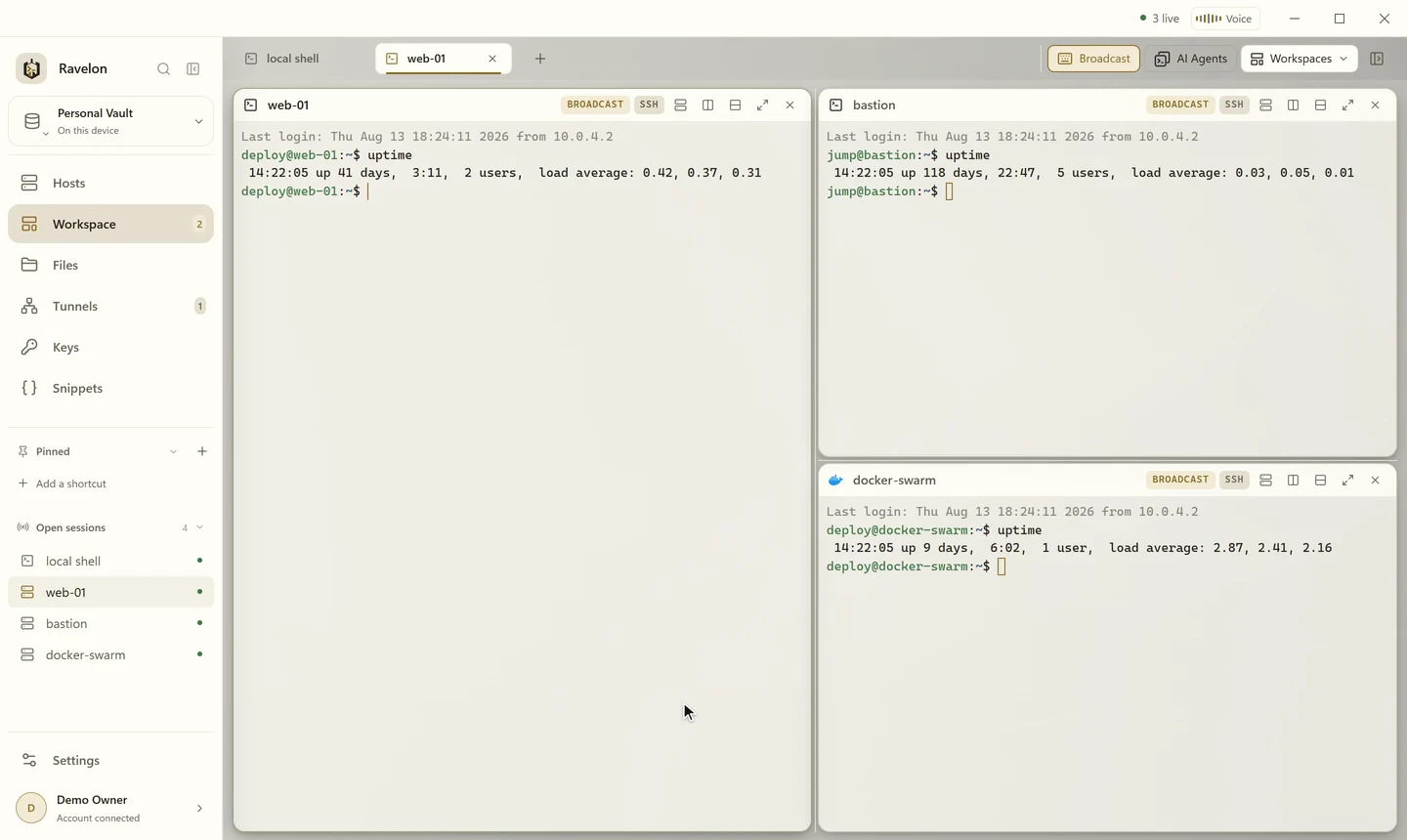
Turn on broadcast and everything you type goes to all terminal panes in the tab at once. AI agent panes are left out, so a coding agent never gets keystrokes meant for your servers.
“Type once, watch three servers answer.”
02
One command, one collected result
Pick several hosts, type a command, and Ravelon runs it on each one and collects the output. That covers the checks you'd otherwise write a loop for: versions, disk space, the state of a service.
- Run one command on several selected hosts
- Every host's output, collected in one place
- Reopen your last tabs when Ravelon starts, if you like
- An ended SSH pane remembers its host, so Enter reconnects
03
Host lists that keep up
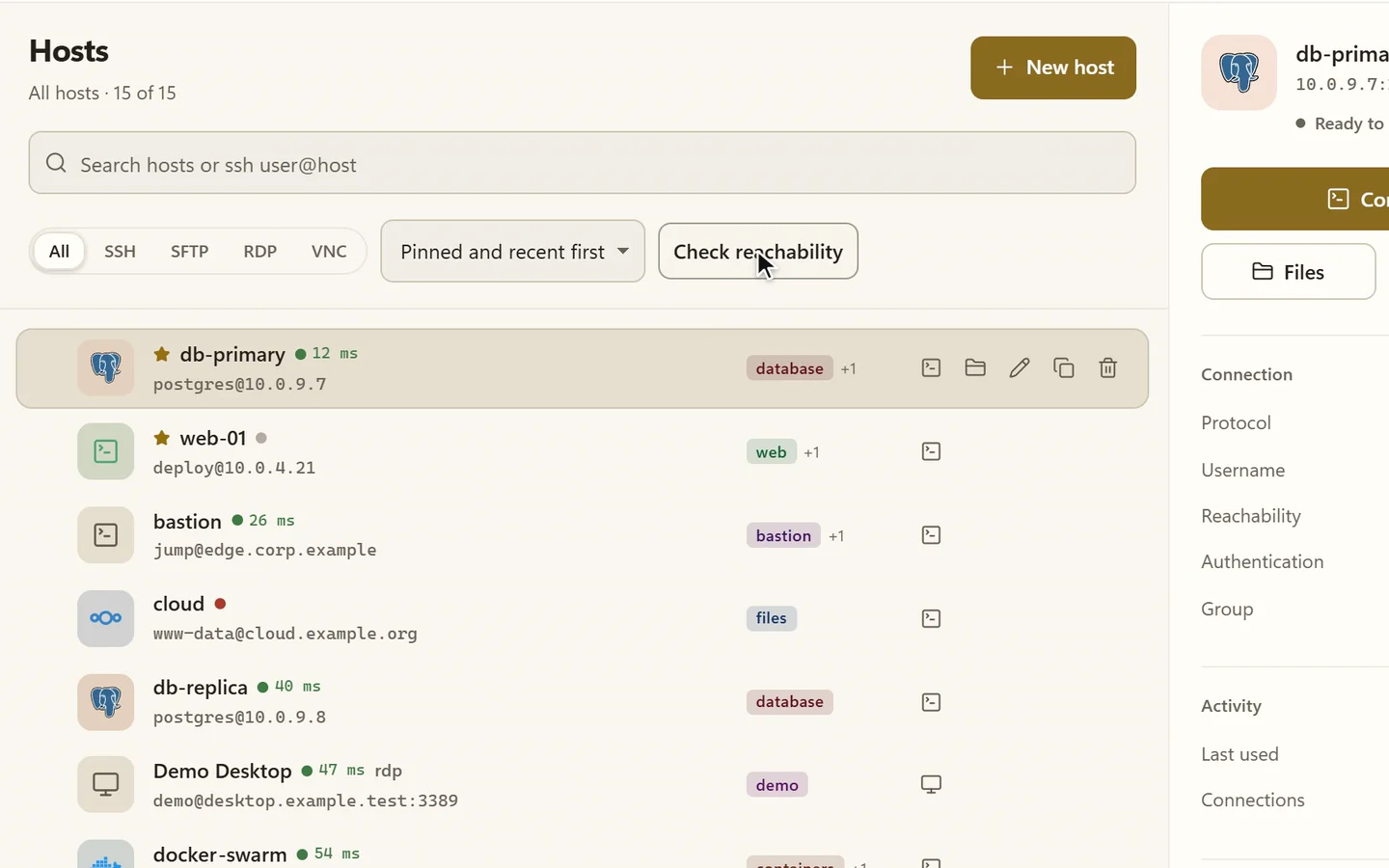
Groups can hold subgroups, and a group hands its user, credential and jump host down to its hosts as defaults. Filter by protocol, sort, select a bunch of hosts and edit them together, and check which ones are reachable whenever you want.
- Subgroups that inherit user, credential and jump host
- Protocol filter and sorting
- Select several hosts and edit them in one go
- Reachability check whenever you need it
FAQ
Frequently asked questions
Does broadcast reach AI agent panes?
No. Broadcast goes to the terminal panes in the active tab and skips AI agent panes.
Do I need to install anything on the servers?
No. Ravelon uses ordinary SSH connections with the credentials you've already saved for each host.
Can Ravelon reopen my tabs after a restart?
Yes. When it starts, Ravelon can reopen the tabs you had open last and reconnect their hosts, so you pick up right where you left off.
How do subgroups pass settings on?
Set a user, credential or jump host on a group, and its subgroups and hosts pick them up as defaults.
Get started
Try it in your own workspace.
On one device the desktop app is free, with nothing held back: the encrypted vault, terminal, SFTP and the assistant are all included.
What else Ravelon can do
Workspaces
Shells, remote desktops and agents side by side in tabs and splits.
SSH terminal
SSH with your passwords and keys kept in an encrypted vault.
Import & export
Bring hosts from ssh_config, PuTTY, MobaXterm or CSV, and take them with you.
Ravelon Agent
An AI agent that plans server tasks and waits for your click.