Ravelon ID
SSH keys at one address
Choose a handle to publish your devices' public SSH keys at id.ravelon.app/@handle. Add them to a server with one command, then sign in from those devices without copying each key separately.
Sign up free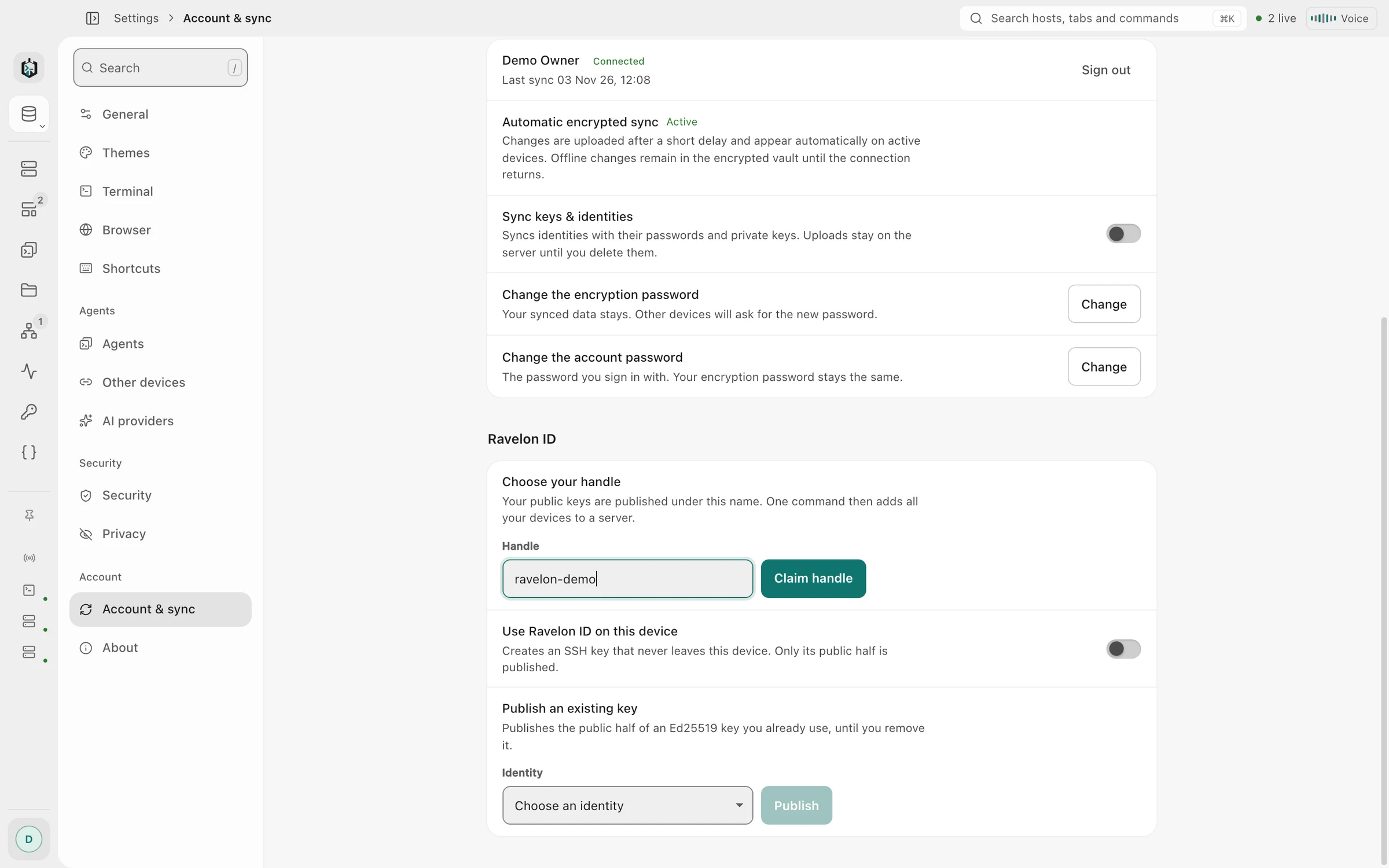
01
Public key address
Turn on Ravelon ID in the app on your computer or iPhone. Each device creates an Ed25519 key pair, keeps its private key and publishes its public key under your handle. All enabled devices use the same address.
For curl, the address is just an authorized_keys file, so this one line puts every key on a server: mkdir -p ~/.ssh && chmod 700 ~/.ssh && curl -fsS https://id.ravelon.app/@handle >> ~/.ssh/authorized_keys. In a browser, the same address shows the keys with their fingerprints.
- One Ed25519 key per device, made on the device
- Desktop app on Windows, macOS and Linux, and the iPhone and iPad app
- Plain text for curl, a readable page for browsers
- Included with Pro
02
Existing keys
Got an Ed25519 key on a laptop or a build machine already? Paste its public half in your account under Ravelon ID and give it a name. It then sits next to your device keys. Ravelon never asks for the private key, and a key you add this way stays until you remove it.
“Only public keys ever leave your devices.”
03
SSH authentication
With Ravelon ID on, each SSH connection offers the device key first. If the server doesn't know it, the app carries on with the password or key you saved for that host. Servers without your Ravelon ID behave exactly as before.
“With Ravelon ID on, each SSH connection offers the device key first. If the server doesn't know it, the app carries on with the password or key you saved for that host. Servers without your Ravelon ID behave exactly as before.”
04
Key removal
Each new key sends you an email. Signing out a device takes its key off your address, and you can remove any key in your account or in the apps. On the server, every line from your Ravelon ID ends in ravelon-id:@handle, which makes them easy to find and delete.
- Email notice for every new key
- With two-factor on, only a session that passed it can publish a key
- A handle you give up stays reserved for you, nobody else can take it
FAQ
Frequently asked questions
Do I need Ravelon Pro for Ravelon ID?
Yes. Ravelon ID is included with Pro and during an active Pro trial.
Which keys can I add?
Ed25519 public keys, the kind ssh-keygen -t ed25519 creates and every current OpenSSH server accepts. Paste the line from the .pub file.
How do I take away access from a server?
Remove the key in your account or the app, and servers that load your address stop getting it. Lines already in a server's authorized_keys stay until you delete them; they all end in ravelon-id:@handle.
Can Ravelon see my private keys?
No. Device keys are created on the device and their private half stays there. For keys you add, you paste only the public half. The address serves nothing but public keys.
Get started
Try it in your own workspace.
The encrypted vault, terminal, SFTP and assistant are included in the free desktop app. Ravelon Pro adds Cloud sync as a one-time purchase.
Related features
SSH terminal
SSH with your passwords and keys kept in an encrypted vault.
Security
An encrypted vault, pinned host keys and the lock level you choose.
Vault & sync
Encrypted on your device before it syncs, and every new device needs your OK.
iPhone & iPad
Native SSH, SFTP and local tunnels on iPhone and iPad, now in the App Store.