macOS 14 or newer, Apple silicon and Intel
SSH client for macOS
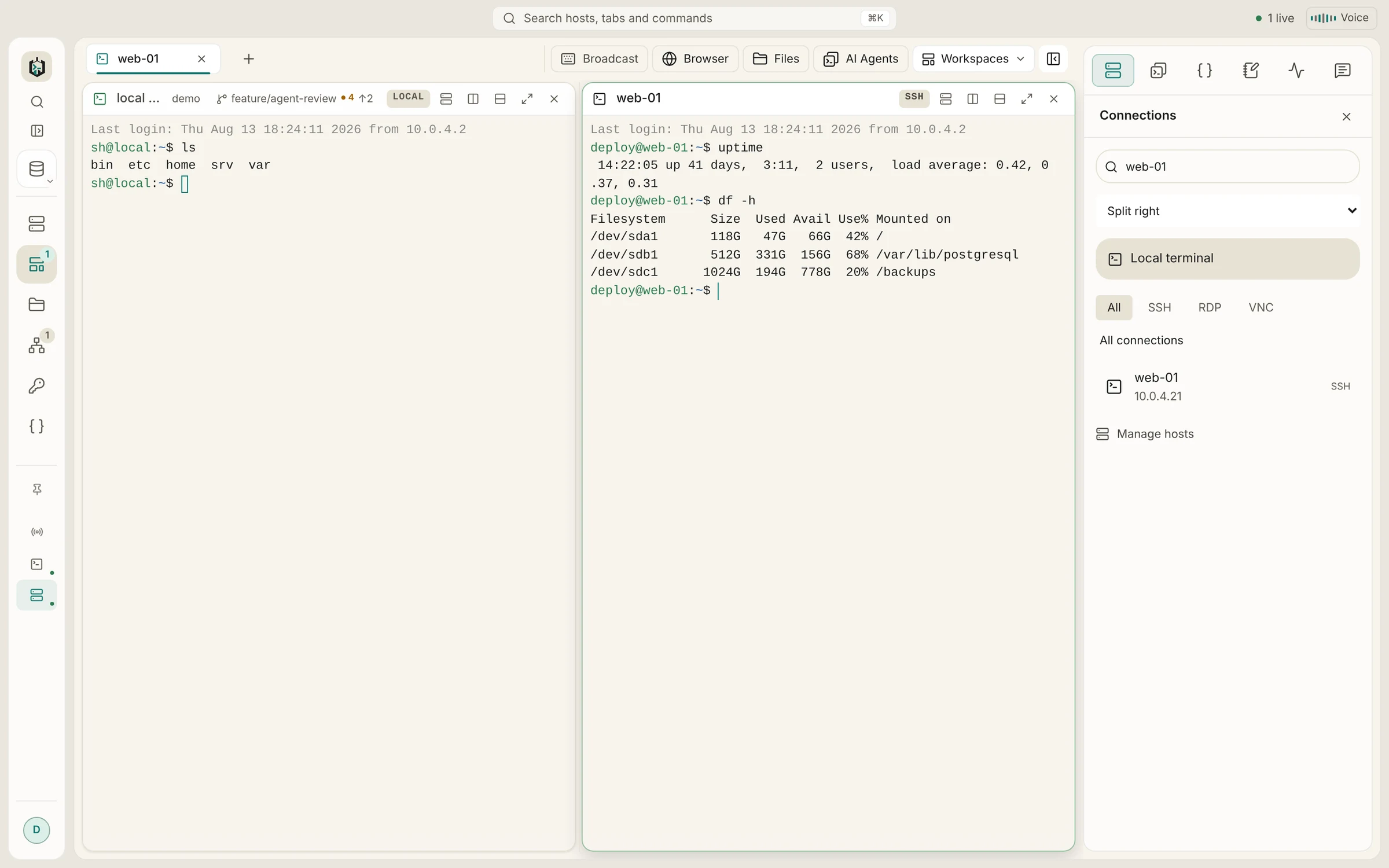
SSH, SFTP, RDP and VNC in one Mac app that opens without a Gatekeeper warning. Your zsh with its Homebrew PATH sits in the next tab, the Command key shortcuts work as you expect, and passwords live in an encrypted vault.
Requirements and downloads
- Supported versions
- macOS 14 Sonoma or newer
- Download
- One universal .dmg, native on Apple silicon and Intel
- Signing
- Signed with an Apple Developer ID and notarized by Apple
- Updates
- Built in: the app downloads signed updates and installs them with a restart
- Local shells
- Your login shell, plus everything in /etc/shells, Homebrew, MacPorts and Nix
- Price
- Free without sync; Pro with sync EUR 19.90 once
Installation
Install Ravelon on a Mac
Download the .dmg
There is one file for every Mac. It runs natively on Apple silicon (M1 and later) and on Intel Macs.
Drag Ravelon to Applications
Open the disk image and drag the app into Applications. Because the app is notarized, macOS opens it with the usual first-start question and no further workaround.
Allow the microphone only if you use Voice
macOS asks for microphone access the first time you start Ravelon Voice. SSH, SFTP, RDP and VNC need no extra permission.
Add your servers
On first start Ravelon offers to import your ~/.ssh/config. You can also import a CSV list, a PuTTY or MobaXterm export, or add hosts by hand. Passwords go into the encrypted vault once.
On macOS
What works differently on macOS
Your shell, with your PATH
Local terminals start your login shell, so .zprofile runs and Homebrew tools are on the PATH. The shell picker also finds shells from /etc/shells, Homebrew, MacPorts and Nix.
Command key shortcuts
Command-K opens the palette, Command-1 to 9 switch tabs, Command-click opens links in the terminal, and Command-Q asks before closing open sessions. Ravelon Voice starts with Command-Option-V.
ssh-agent and the Keychain
Ravelon uses the agent macOS provides through SSH_AUTH_SOCK, so keys you added with ssh-add work. If you lock the vault with a passphrase, you can let the macOS Keychain remember it.
Screen Sharing on other Macs
VNC supports the Apple Remote Desktop sign-in that macOS Screen Sharing uses. That mode does not encrypt the session, so tunnel it through a saved SSH host with one setting.
Feels like a Mac app
The window keeps the native traffic lights in an overlay title bar, agent notifications arrive in Notification Center, and Voice can live in the menu bar.
For administrators
A machine policy at /Library/Application Support/Ravelon/policy.json can turn off updates, sync, AI or telemetry. Logs are in ~/Library/Logs/Ravelon and never contain passwords, keys or terminal output.
Host keys are checked on every system
The first connection shows the server's fingerprint; once you confirm it, Ravelon pins it and stops if it ever changes. Every jump host is checked against its own pin.
FAQ
Frequently asked questions
Why use an SSH app when macOS has ssh in Terminal?
Terminal is fine for one server. Ravelon keeps the server list, passwords and keys, file transfers, tunnels and remote desktops together, and reads your ~/.ssh/config so nothing is lost.
Does it run on older macOS versions?
The current releases need macOS 14 Sonoma or newer.
Is there a Mac App Store version?
No, the Mac app comes from our download page and updates itself. The iPhone and iPad app is a separate app.
Can I use the same hosts on my other computers?
Yes. Ravelon Pro syncs hosts, keys and snippets end-to-end encrypted between Windows, macOS and Linux for a one-time EUR 19.90, or free through a sync server you run yourself.
Same app on every system
Hosts, keys and snippets sync end-to-end encrypted between Windows, macOS and Linux, so a laptop on one system and a workstation on another share one server list.
Coming from another client on macOS?
Ravelon vs. Termius
SSH, files and tunnels, paid for once instead of every month.
Ravelon vs. Warp
Your servers, files and tunnels in one workspace, with AI that waits for your OK.
Ravelon vs. Royal TS
SSH first, with RDP and VNC alongside, on Linux too.
Ravelon vs. Tabby
Vault, files, tunnels and sync in one app, ready from first launch.